Advanced
What is an Advanced
Advanced settings go beyond basic configurations, offering options like hiding the SSID, enabling WMM for traffic prioritization, and employing MAC address filtering for security. Features such as band steering enhance performance by directing devices to less congested bands, while 802.11r supports seamless roaming. These settings optimize and secure wireless networks effectively.
Significance of Advanced
Advanced Wi-Fi settings are essential for network administrators and power users who require more control, customization, and optimization options for their wireless networks. These settings can enhance security, boost performance, and customize the network to meet specific needs and preferences.
How to configure an Advanced
-
Go to SSIDs menu. After going to SSIDs menu click on the edit button of SSID.

-
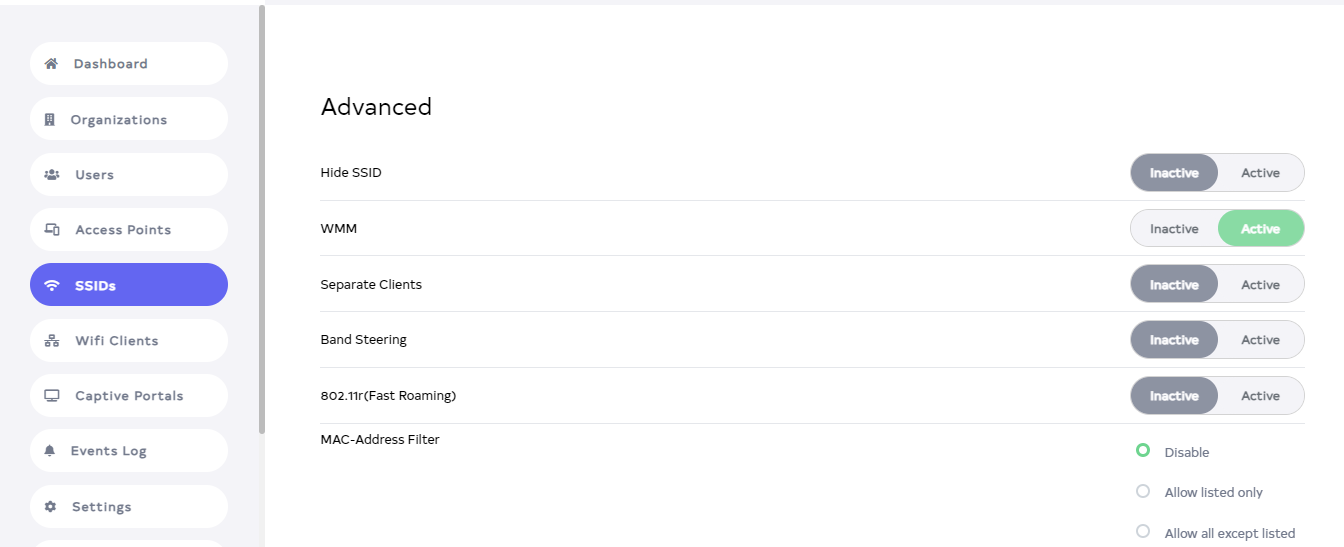
After clicking the Edit button, scroll down a bit to find Advanced.
-
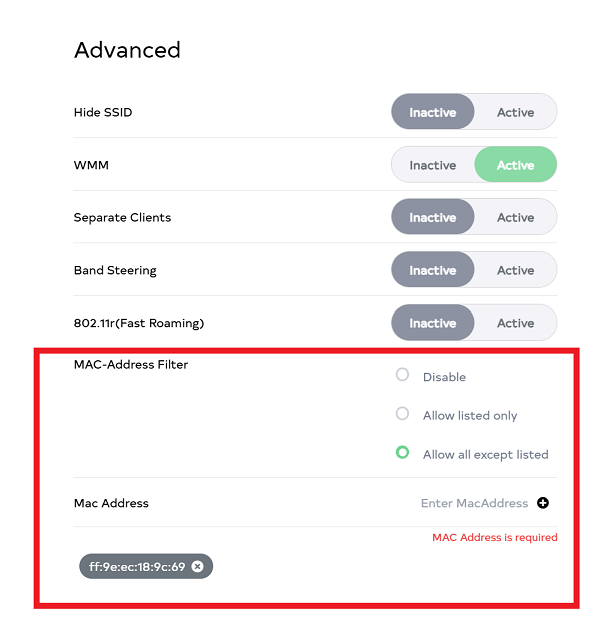
In Advanced Section,
- Hide SSID,
- WMM,
- Separate Clients,
- Band Steering, and
- 802.11r (Fast Roaming) can be enabled or disabled. Additionally, 3 types are given in Mac address filter 1. Disable:- It has no filter so it will allow all mac address to connect to SSID, 2. Allow listed only, 3. Allow all except listed.
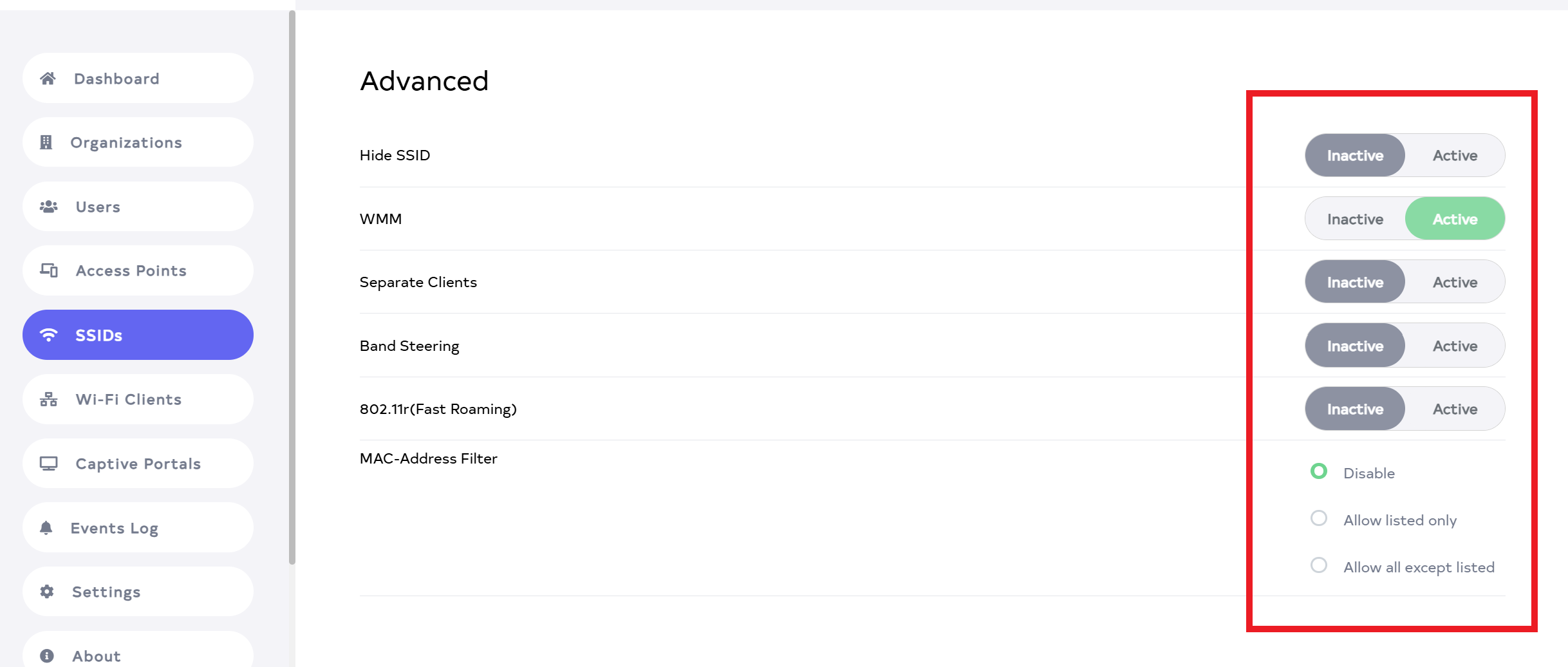 MAC-Address-filter-info
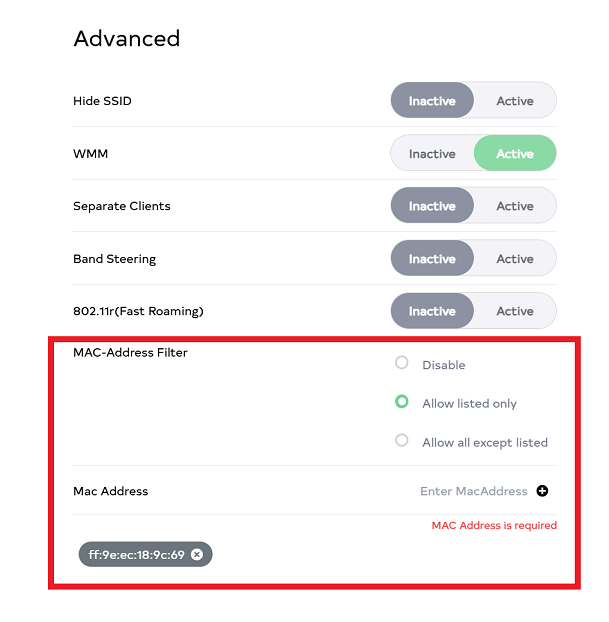
1. Allow listed only:- Only MAC addresses entered in allow listed only will allow MAC addresses to connect to the SSID. 2. Allow all except listed:- Allow all except listed will allow all MAC addresses to connect to the SSID except the MaC address entered there.
-
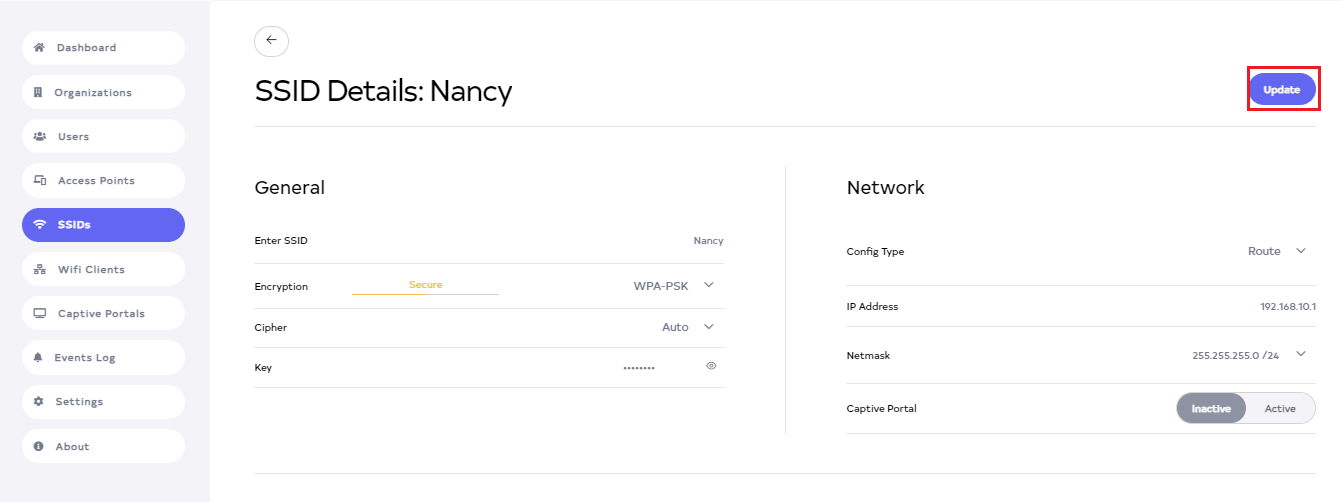
Then click on the Update button.
-
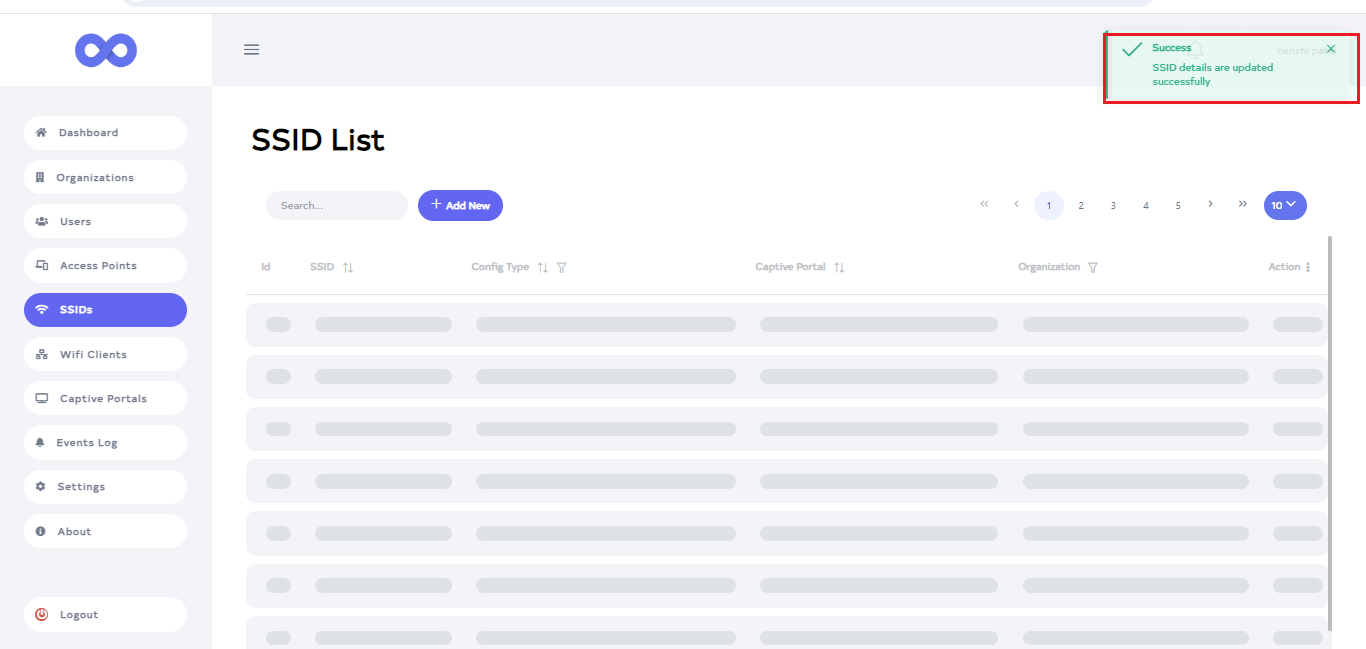
After the Advanced Section is updated successfully, a success message will display SSID details are updated successfully.