Radio Configuration
Overview of Radio Configuration
Radio configuration in an Access Point (AP) involves adjusting settings such as country code, channel width (20 MHz or 40 MHz), frequency bands (2.4 GHz or 5 GHz), and transmit power. This tuning is crucial for optimizing network performance, coverage, and reliability, while ensuring regulatory compliance and minimizing interference. This product documentation provides information about configuring Radio Configuration.
How to configure Radio Configuration
-
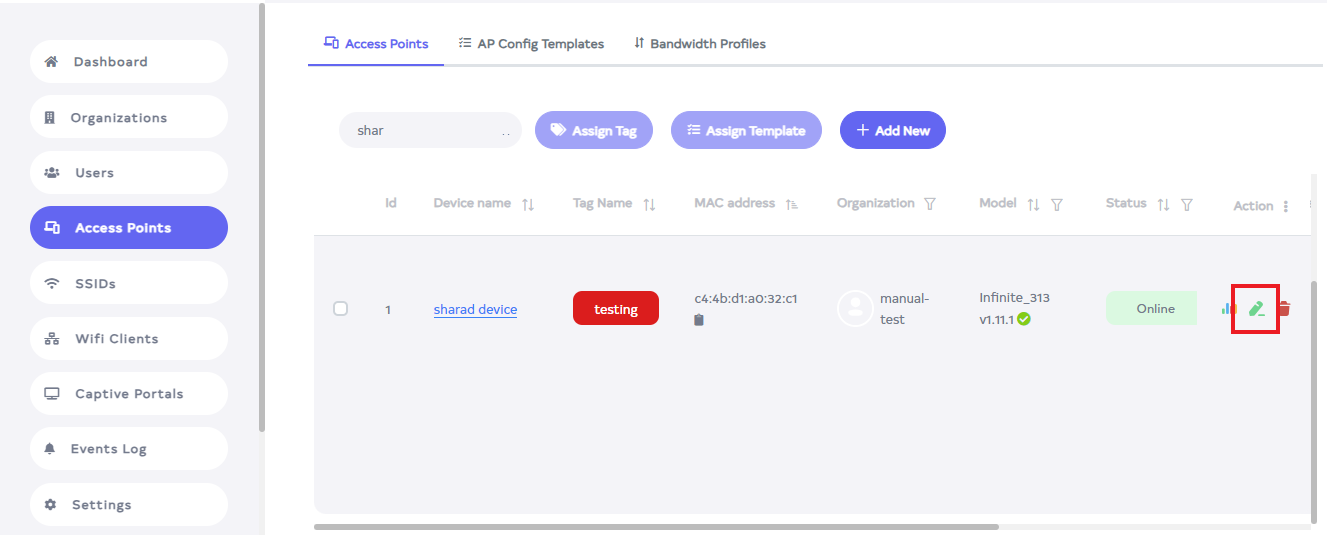
Click on the Access Point menu located on the left side.

-
Navigate to the device for Radio Configuration > Edit button.
-
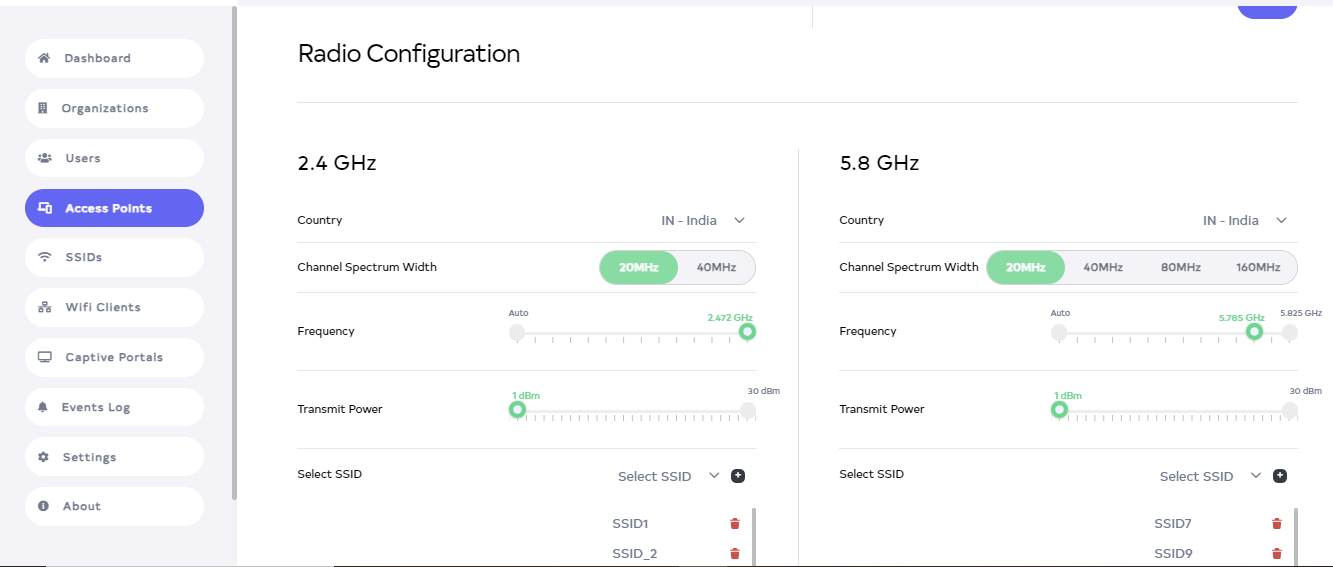
After clicking, scroll down to find Radio Configuration. Radio Configuration has 2 types: (1) 2.4 GHz and (2) 5.8 GHz.
-
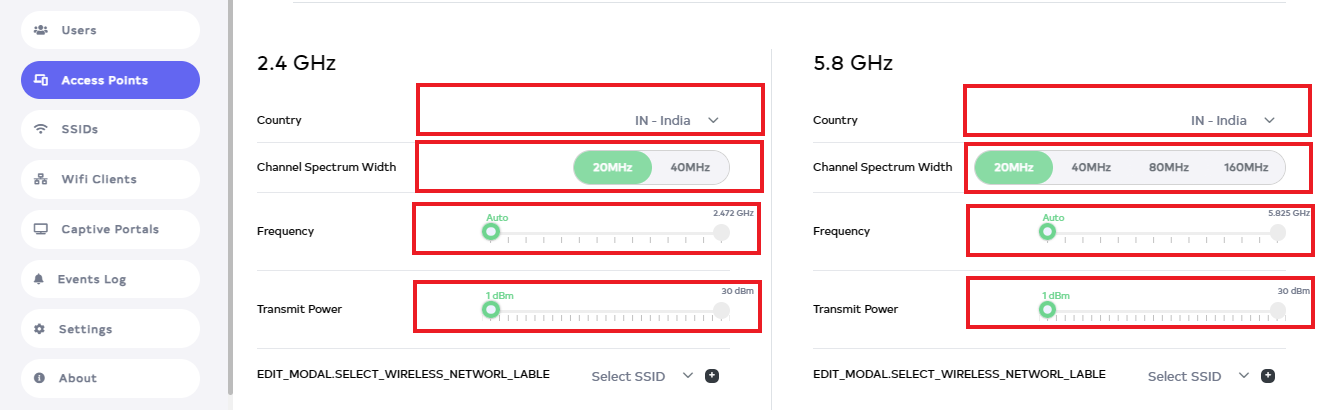
Then Country, Channel Spectrum Width, Frequency, and Transmit Power options are provided for 2.4 GHz and 5.8 GHz. Both adding and changing GHz settings can be done In the Radio Configuration.
-
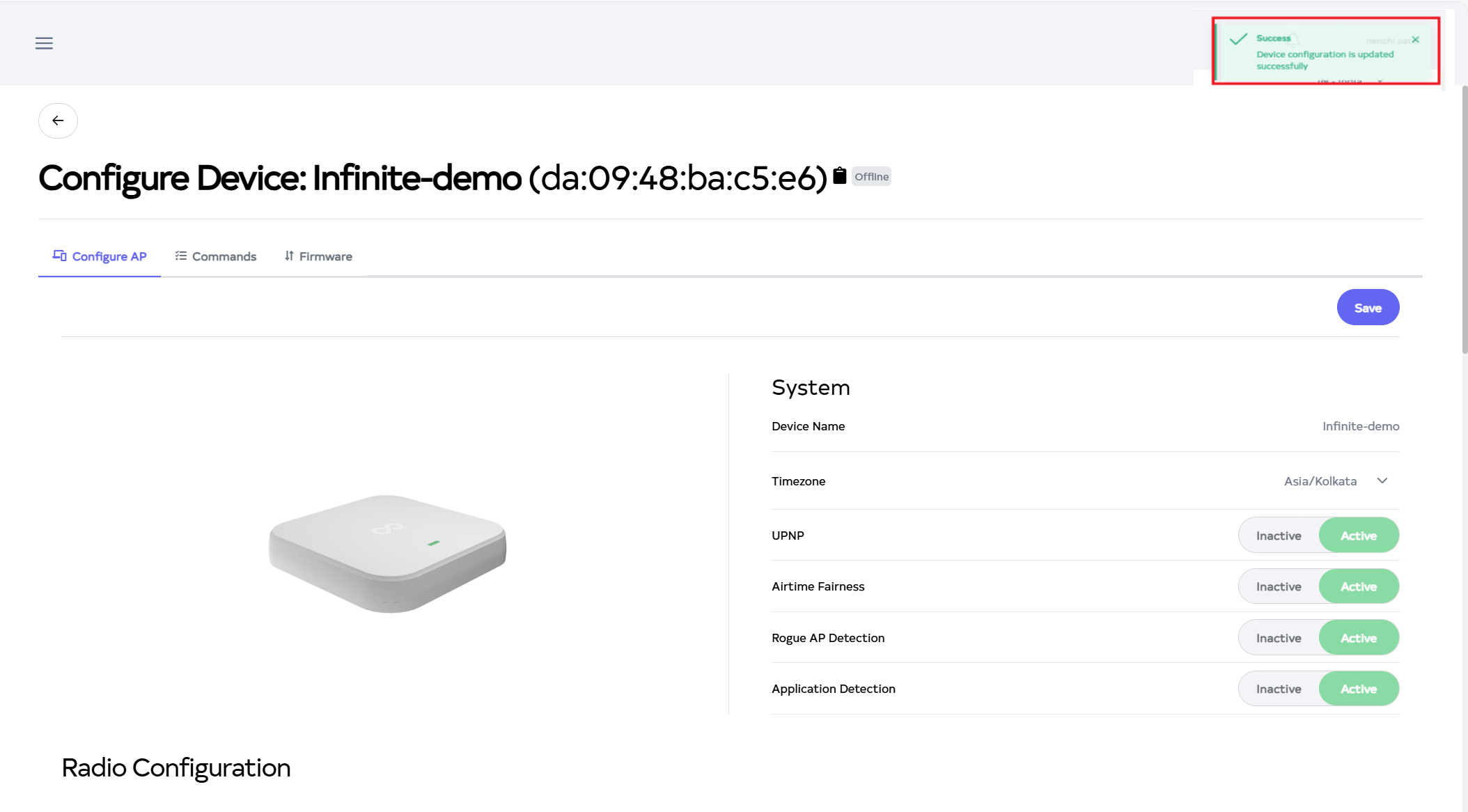
Then click on the Save button, located right side on top.
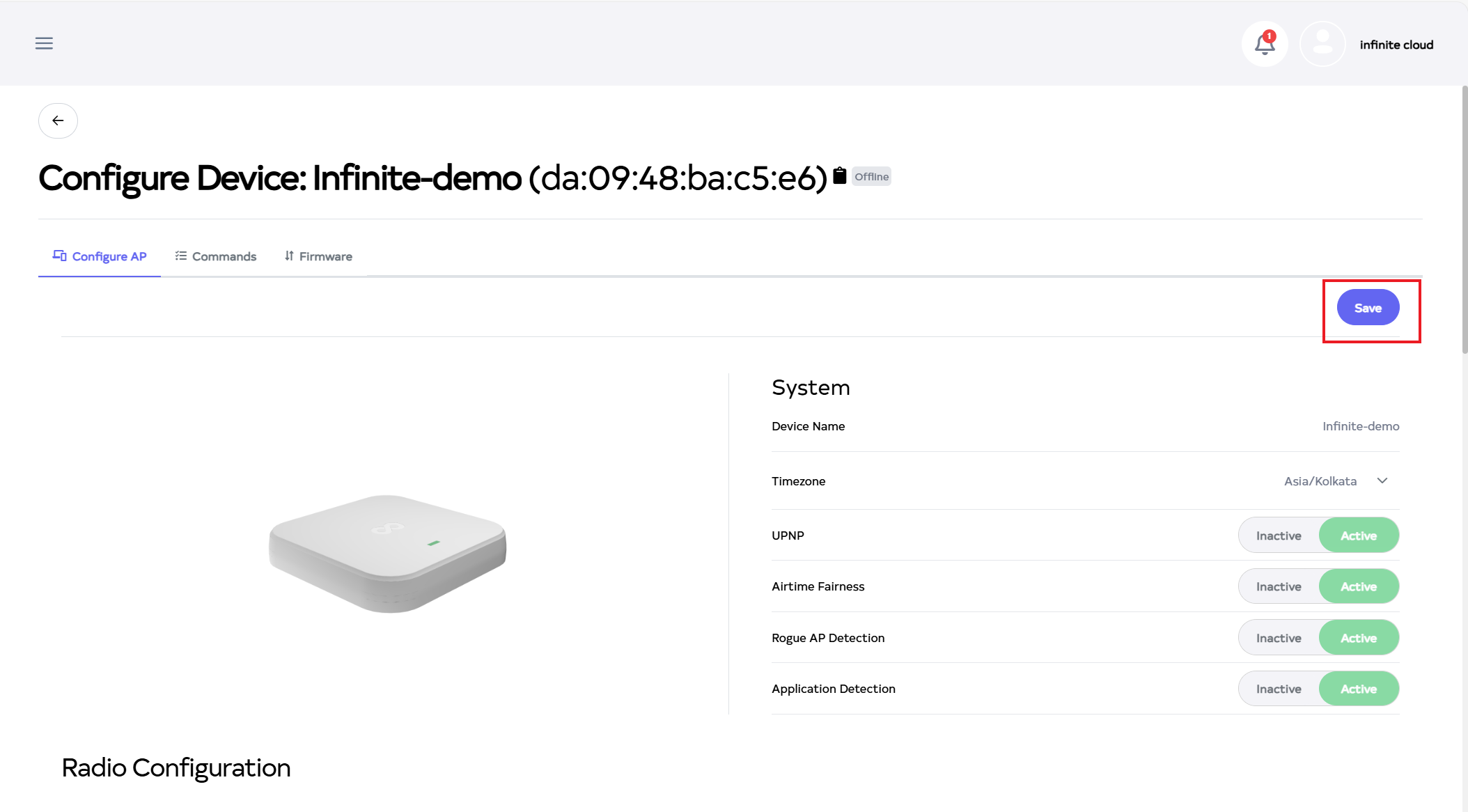
-
After the Radio Configuration Section is saved successfully, a success message will display Device configuration is updated successfully.