System
Overview of System
System configuration involves setting up interconnected components to achieve a common goal. It includes defining device names for network identification, enabling UPnP for automatic device communication, applying airtime fairness for balanced network access, rogue access points for security, and utilizing application detection to monitor and manage network traffic and usage.
Function of system
The aforementioned system is crucial for effective network management and security. Device naming ensures clear identification, simplifying troubleshooting and management tasks. UPnP streamlines device discovery and communication, enhancing network interoperability. Airtime fairness optimizes network performance by allocating resources equitably among connected devices. Rogue AP detection safeguards against unauthorized access points, reducing the risk of security breaches. Application detection enables monitoring and enforcement of usage policies, ensuring network resources are utilized efficiently and securely. Together, these components bolster network efficiency, reliability, and security, essential for modern digital operations and safeguarding against potential threats and disruptions.
How to configure System
-
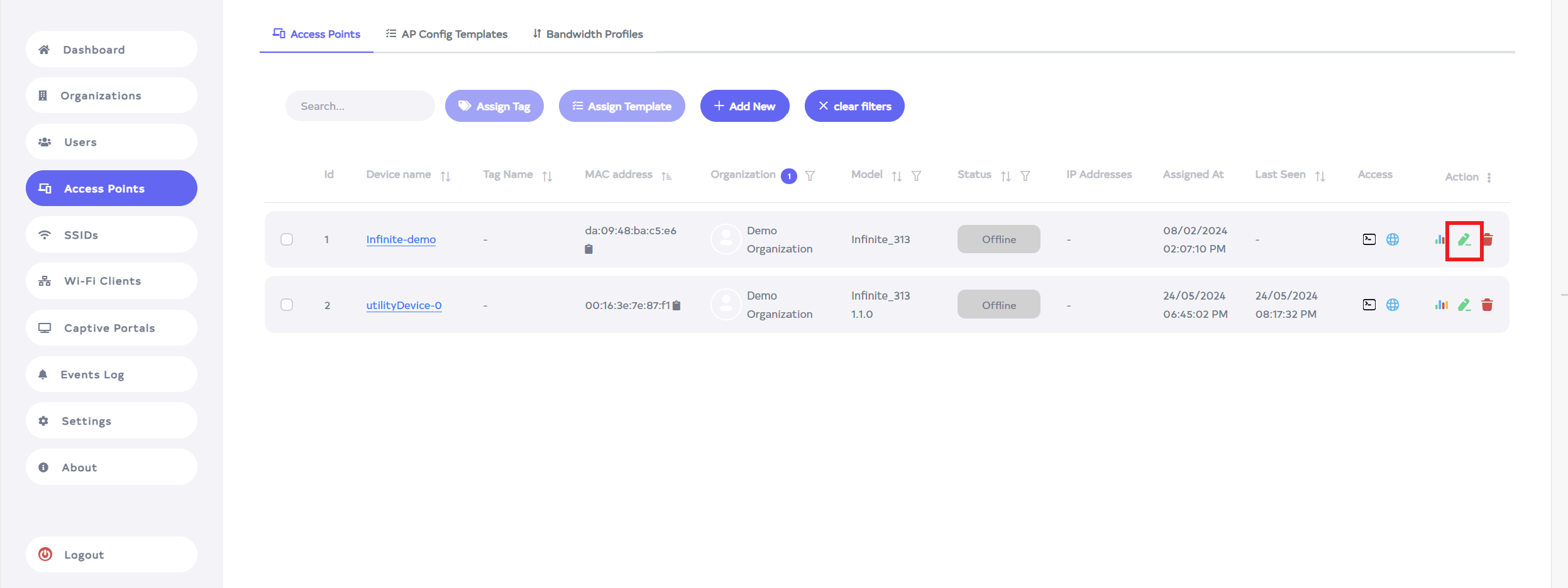
Go to the device you want to System.
-
Click on the Edit located on the right side of the access point.
-
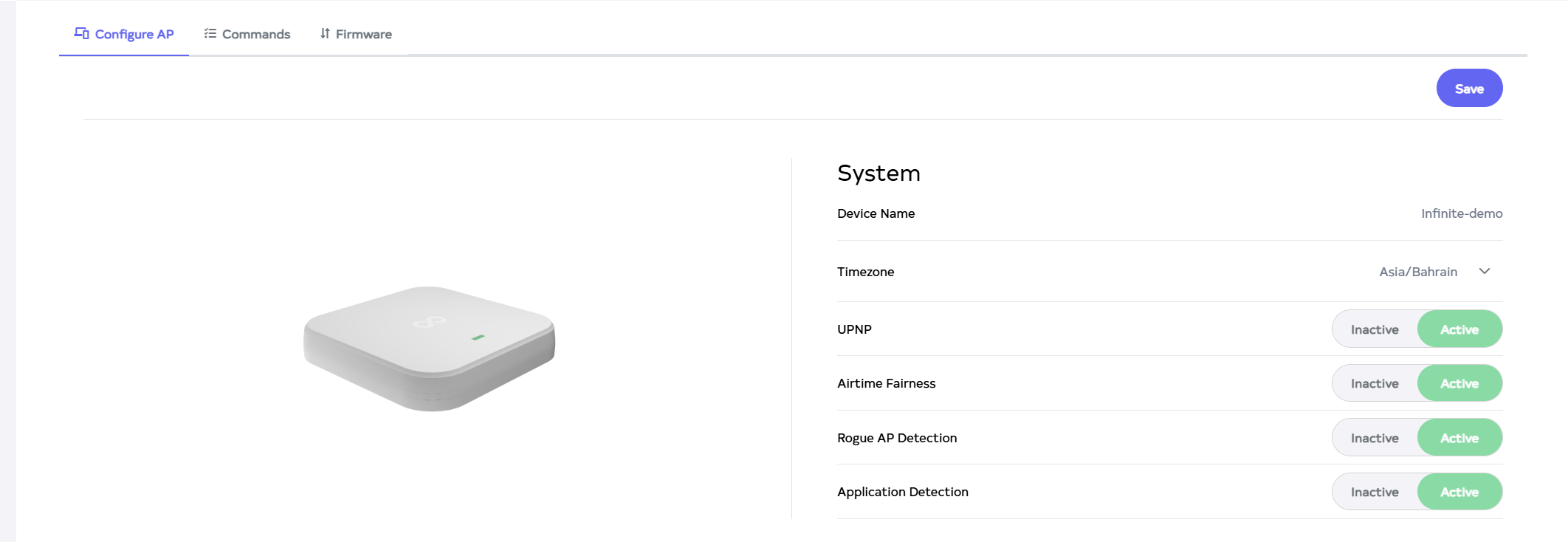
Clicking the Edit button will display the System section.
-
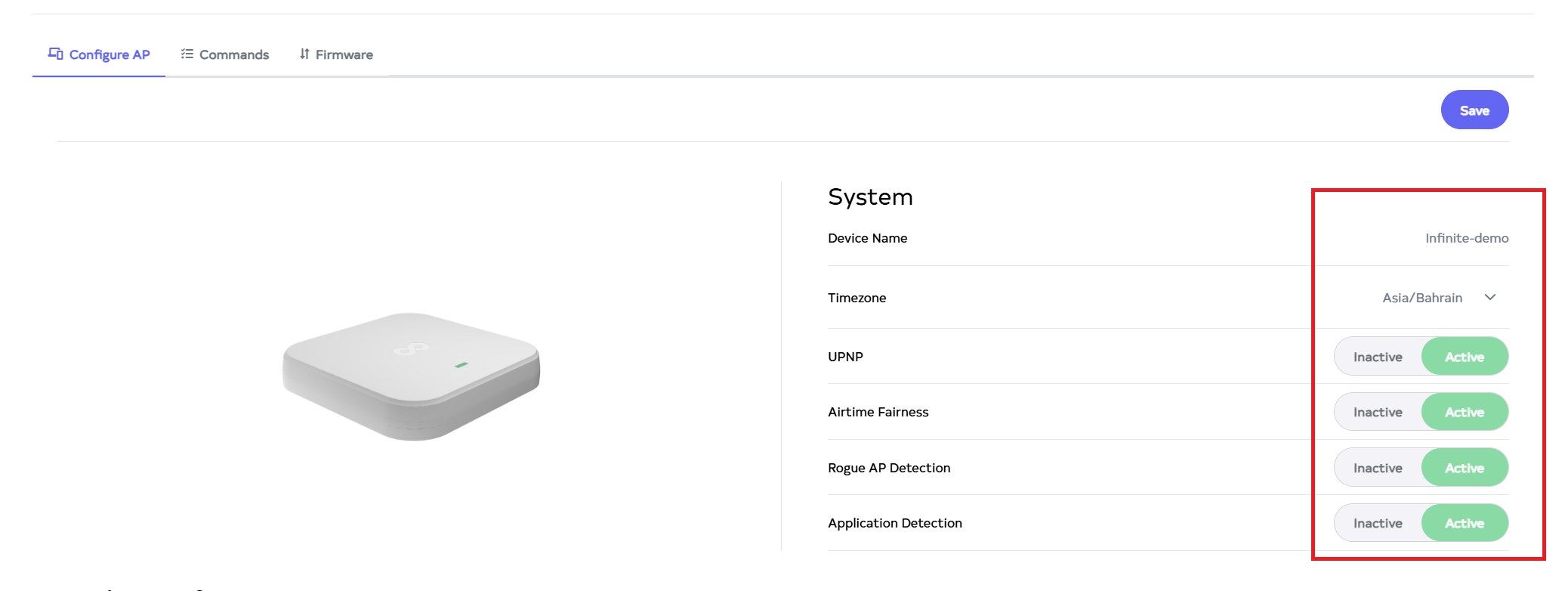
The system includes Device Name, Timezone, UPNP, Airtime Fairness, Rogue AP Detection, and Application Detection. Changes can be made to these settings, including the system name, and enabling or disabling UPNP, Airtime Fairness, Rogue AP Detection, and Application Detection.
Info:When the device is in different locations, its time settings will vary. Select the appropriate time zone for your area so AP will broadcast the SSID based on that time zone when SSID scheduling is configured.
-
Click on Save button.
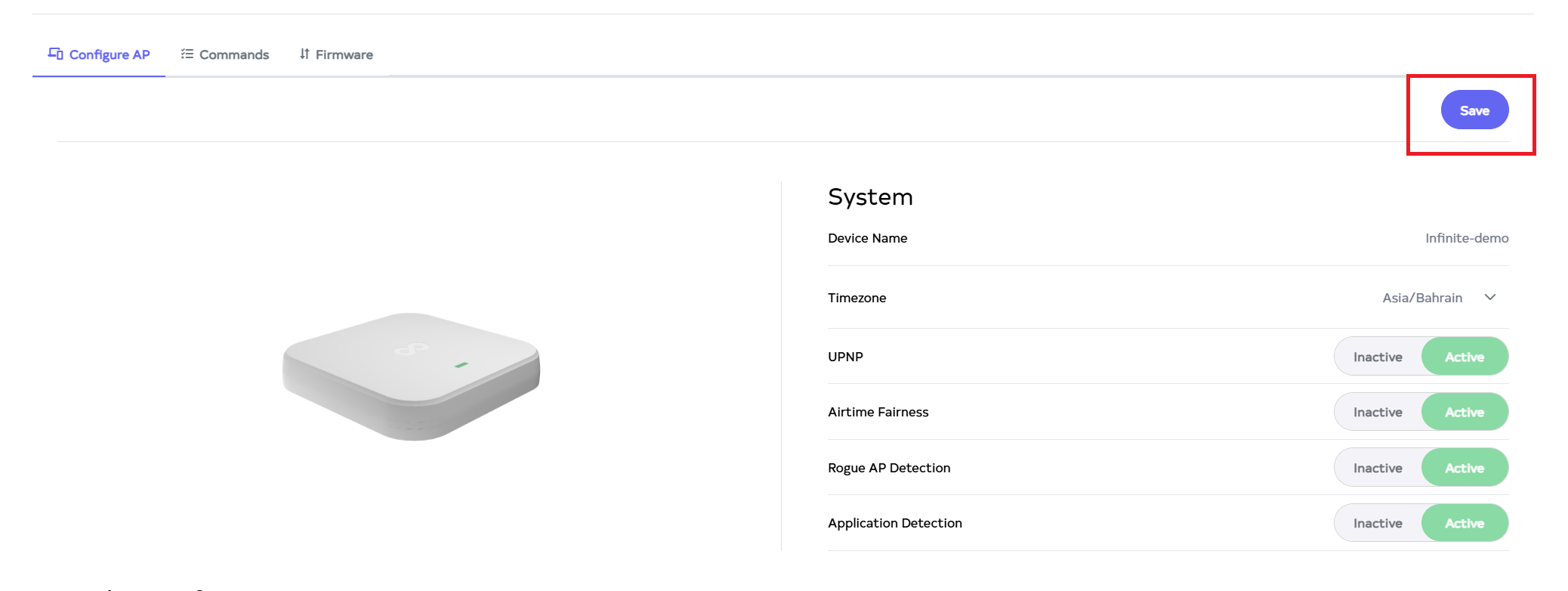
-
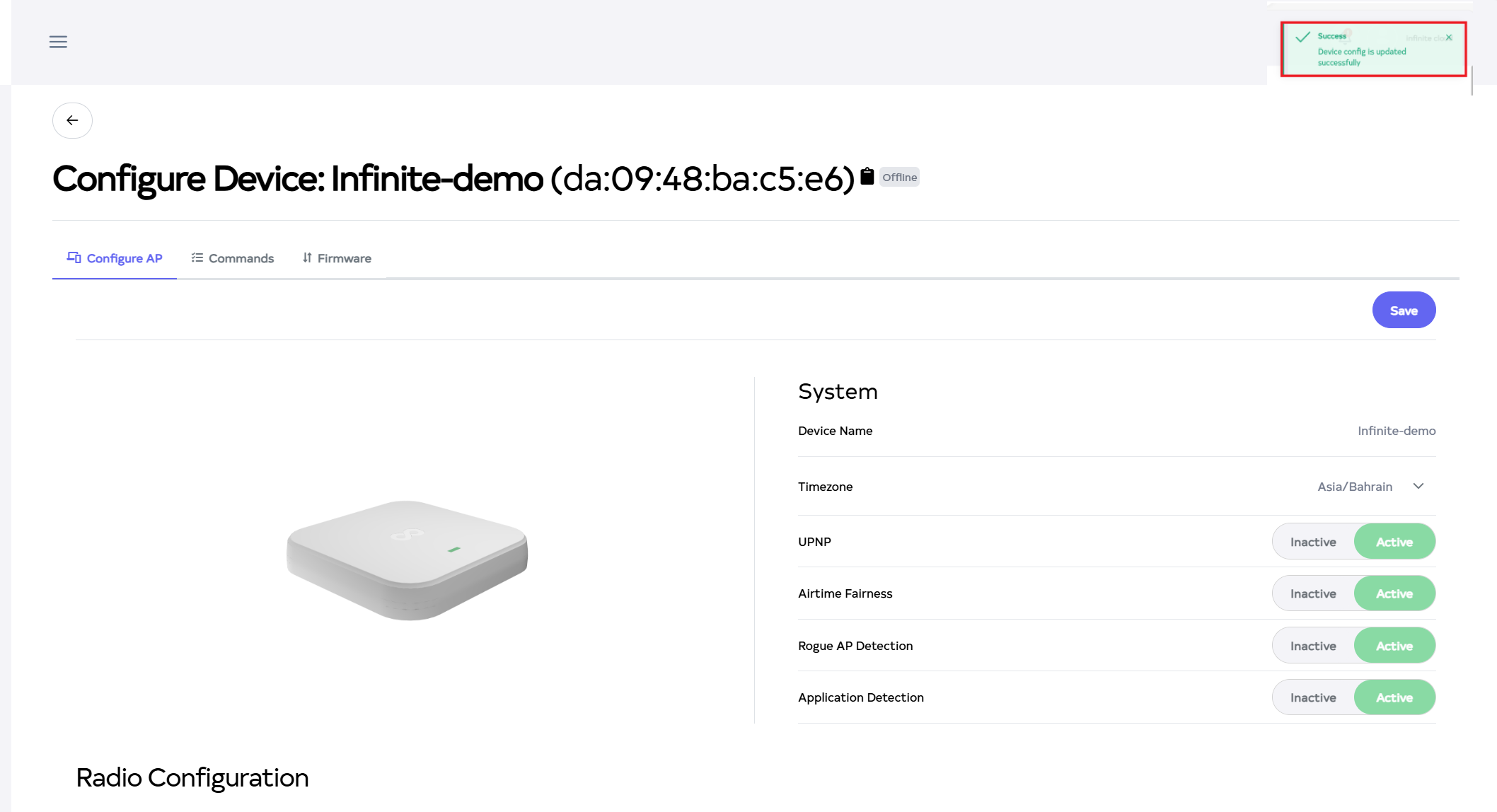
After the System Section is saved successfully, a success message will display Device configuration is updated successfully.