Two Step Verification
A security procedure called two-step verification, or two-factor authentication (2FA), requires users to enter two distinct authentication factors in order to access a system or service. This usually includes the user having something (like a security token or smartphone) and something they know (like a password).
Benefits of Two-Step Verification
By introducing an additional degree of security against unwanted access, two-step verification improves security. Because an attacker would still require the second authentication factor to have access, even in the event that a password was to be stolen or guessed, it drastically lowers the likelihood of accounts being compromised. By using this technique, you can strengthen account security overall and protect confidential data from online dangers.
Enabling Two Steps Verification
-
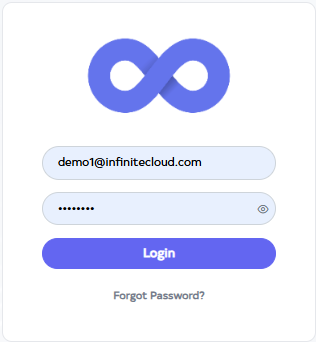
Go to Cloud platform and go there fill the details and then click on login button
-
By default, the Dashboard will open after clicking on the login button. Navigate to the profile there.

-
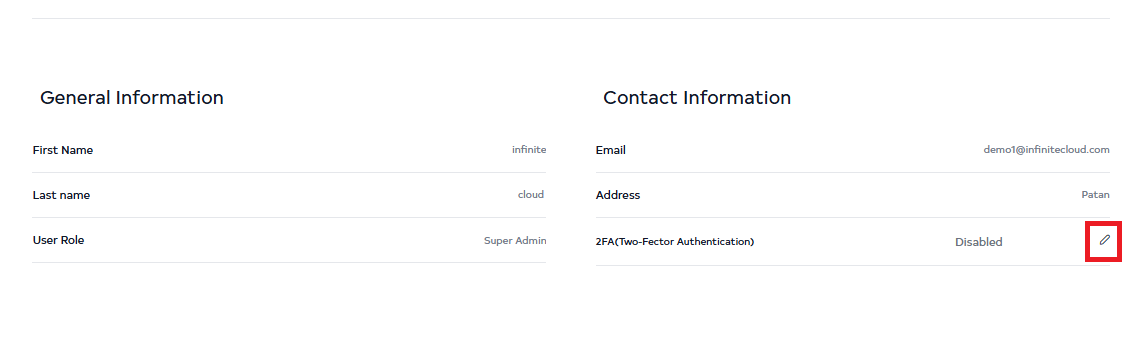
After going to the profile click on the Edit button of 2FA (Two-Fector Authentication).
-
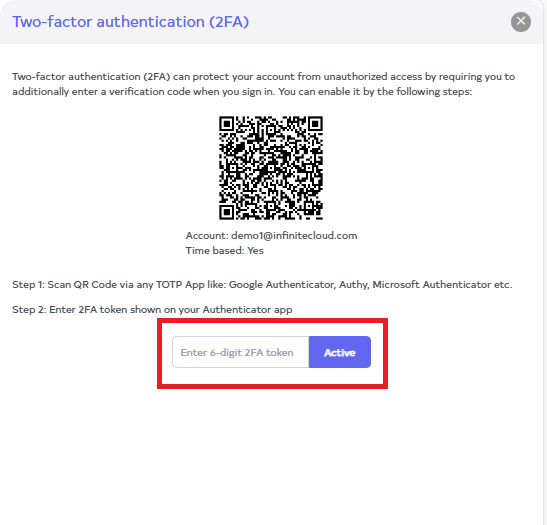
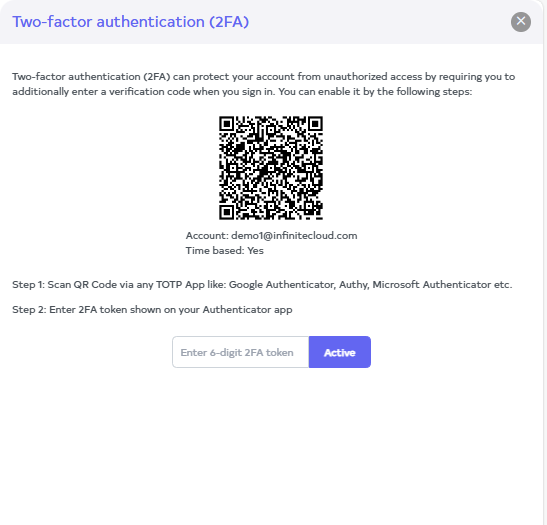
A window will display a QR code. Scan this QR code using the Google Authenticator app installed on a mobile device.
-
Enter the code generated after scanning, and then click on the Active button.