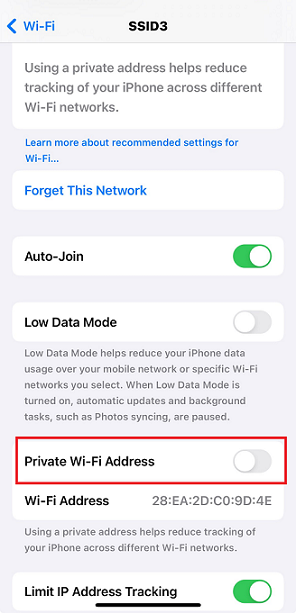
How to disable Random MAC in Android and IOS Devices
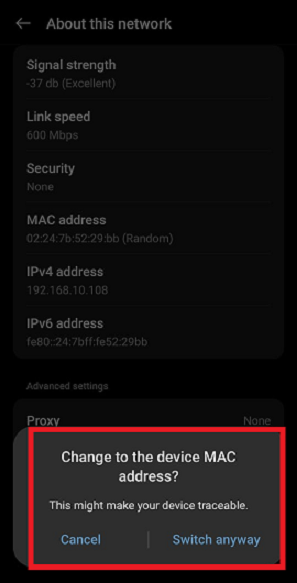
When connecting to an SSID, the user must configure their device to use the original MAC address. By default, the device connects using a random MAC address for each network, which may not work with all vendors. To ensure compatibility, set the device to use its original MAC address.
Steps to disable Random MAC in Andorid Device.
-
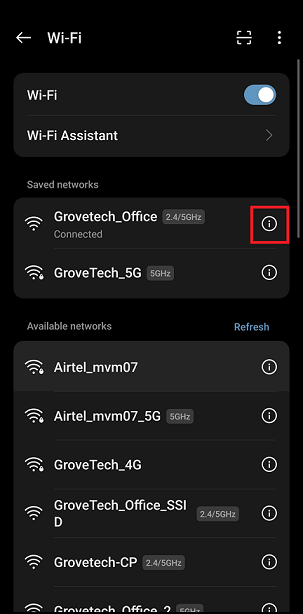
Open the Setting > Tap on the Wi-Fi.
-
Tap on the i icon of the SSID to be selected.
-
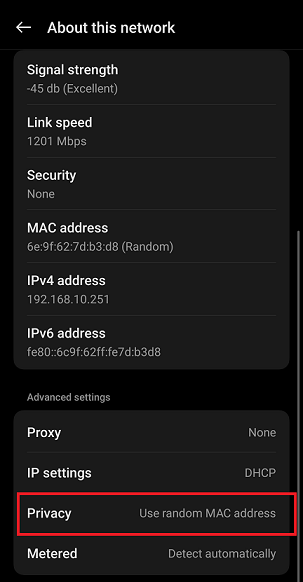
Tap on the Privacy.
-
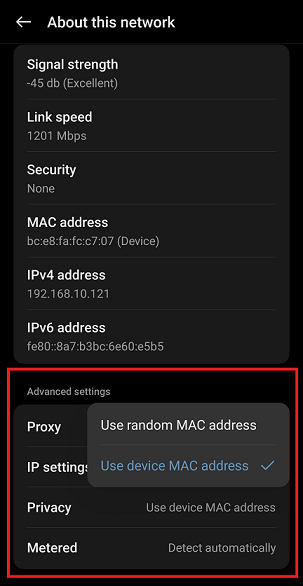
Tap on the Use Device MAC.
-
Tap on the Switch anyway.
Steps to disable Random MAC in IOS Device.
-
Open the Setting > Tap on the Wi-Fi.
-
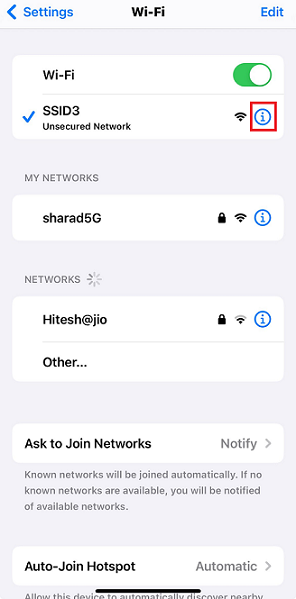
Tap on the i icon of the SSID to be selected.
-
Turn off the Private Wi-Fi Address.