VPN Passthrough
Understanding VPN Passthrough
A VPN passthrough is a router feature that enables any device connected to allow VPN traffic to pass through that specific router or access a remote network. It has three type.
- PPTP (Point-to-Point Tunneling Protocol): Creates a virtual tunnel for encrypted data transfer.
- L2TP (Layer 2 Tunnel Protocol): Offers more security than PPTP by using a combination of protocols.
- IPsec (Internet Protocol Security): Highly secure protocol for creating encrypted connections.
This product documentation offers guidance on setting up VPN Passthrough.
How to config a VPN Passthrough
-
Go to the Access Point menu. A window will open, displaying a grid showing the Access Point. Click the Edit button to the right of it.

-
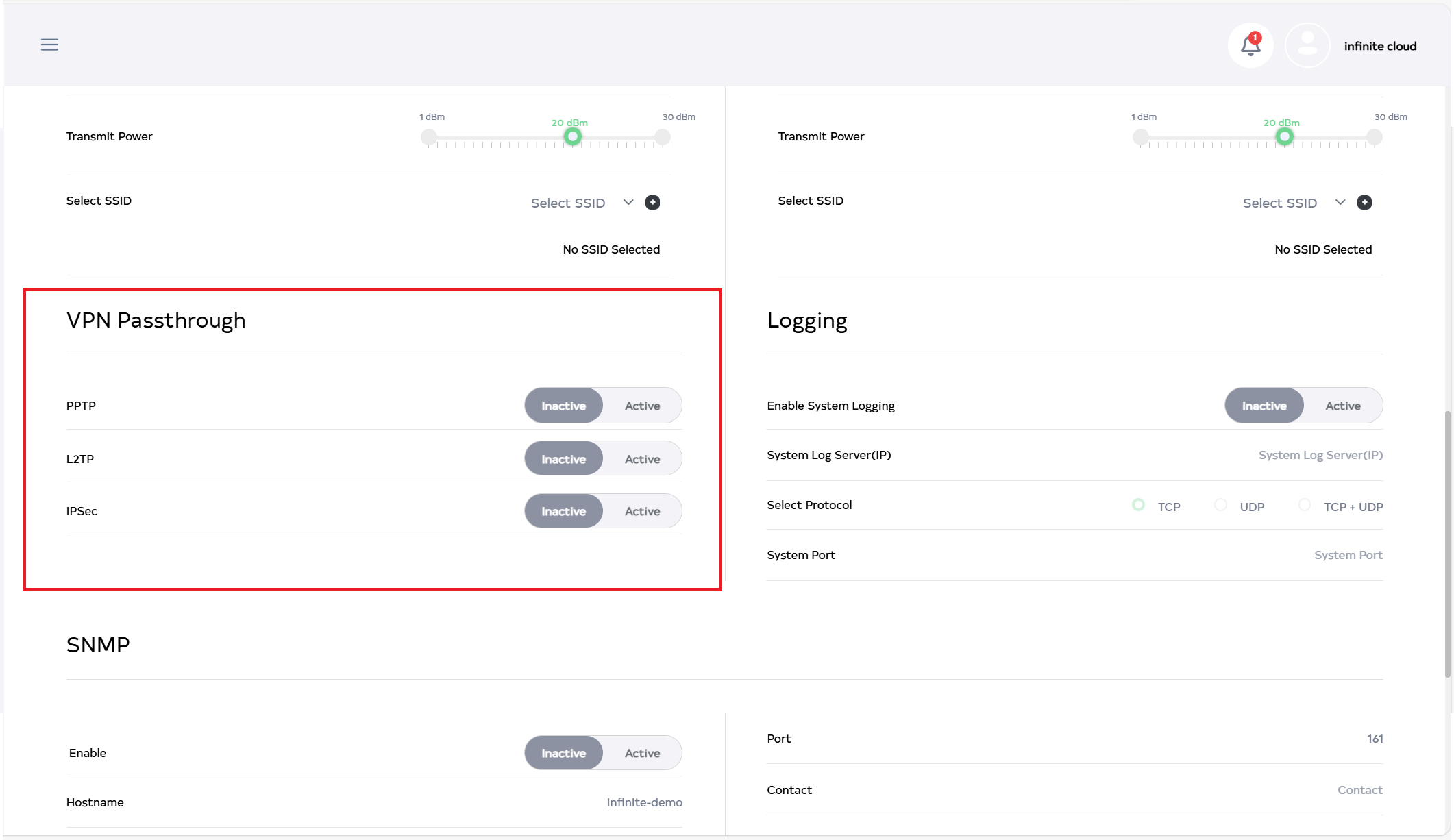
After clicking on edit button, scroll down to see the VPN Passthrough.
-
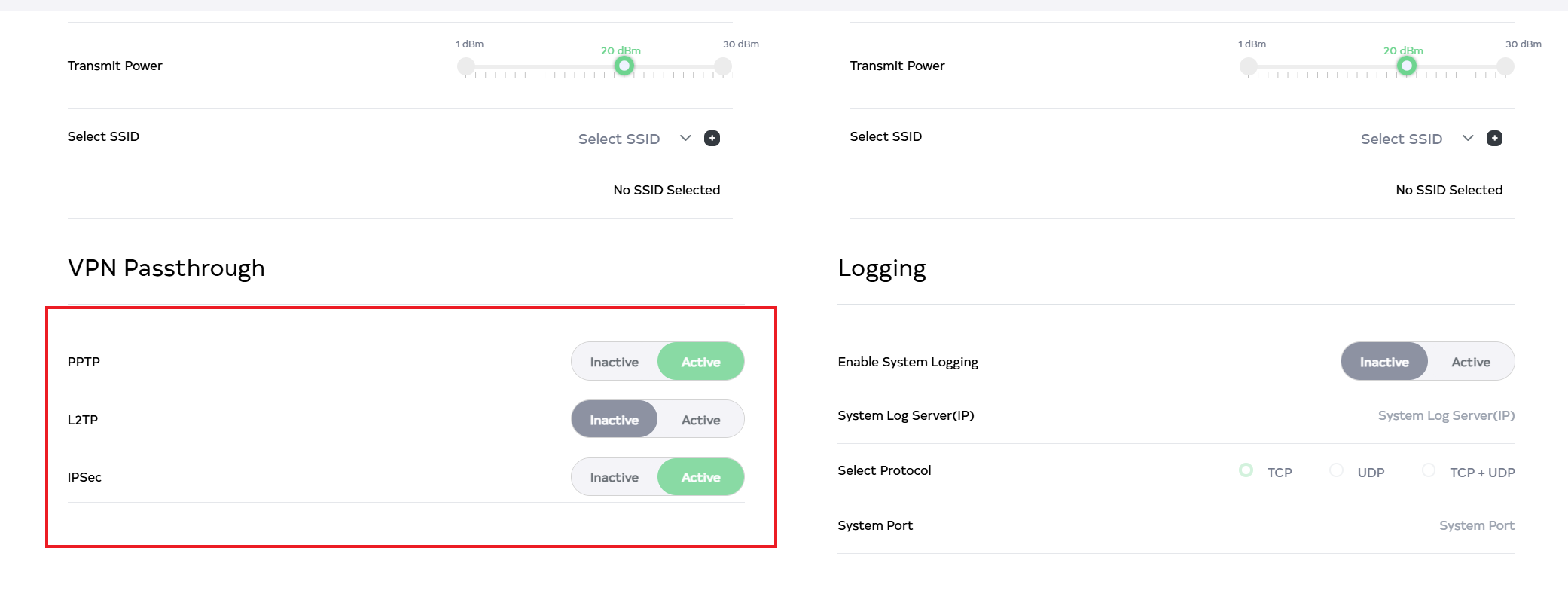
There are three different types of VPN Passthrough. 1. PPTP, 2. L2TP, and 3. IPsec. If VPN Passthrough is not needed, make it inactive by clicking Inactive. Activate by clicking the Active button for the desired VPN Passthrough type. For example, both PPTP and IPsec are activated for VPN Passthrough in the image.
-
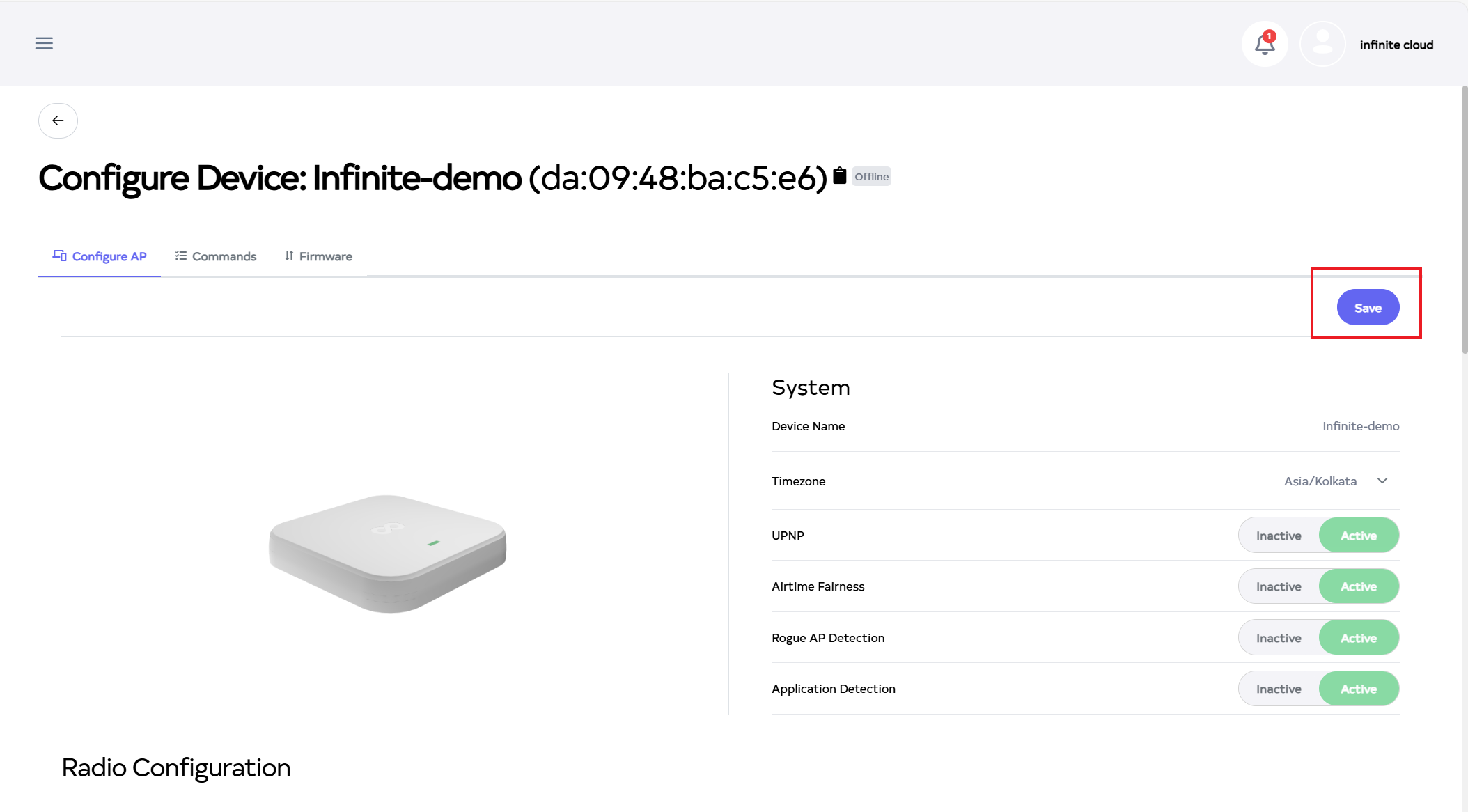
Then click on the Save button, located right side on top.
-
After the VPN Passthrough Section is Saved successfully, a success message will display Device config is update successfully.
